


xTool RA3 & RA3 Lite: Intelligent Rotary Engraving for Rings, Tumblers & Ornaments

xTool RA3 & RA3 Lite: Intelligent Rotary Engraving for Rings, T...
Description
Description
xTool RA3 & RA3 Lite: Intelligent Rotary Engraving for Rings, Tumblers & Ornaments
- Smarter Workflow Boosts Efficiency: Automatic mode recognition, an accurate 3D preview, & auto-focus with the P3's 360° LiDAR Mapping.
- Effortless Setup: The MagSwap™ design lets you quickly and easily assemble the rotary and switch between roller, chuck, sphere, and ring modes.
- New Functions: Roller & jaw batch processing, a one-step inner ring angle adjustment, and an enlarged 130mm chuck to engrave bigger items.
xTool RA3
Next-Level Efficiency, Game-Changing Ease of Use
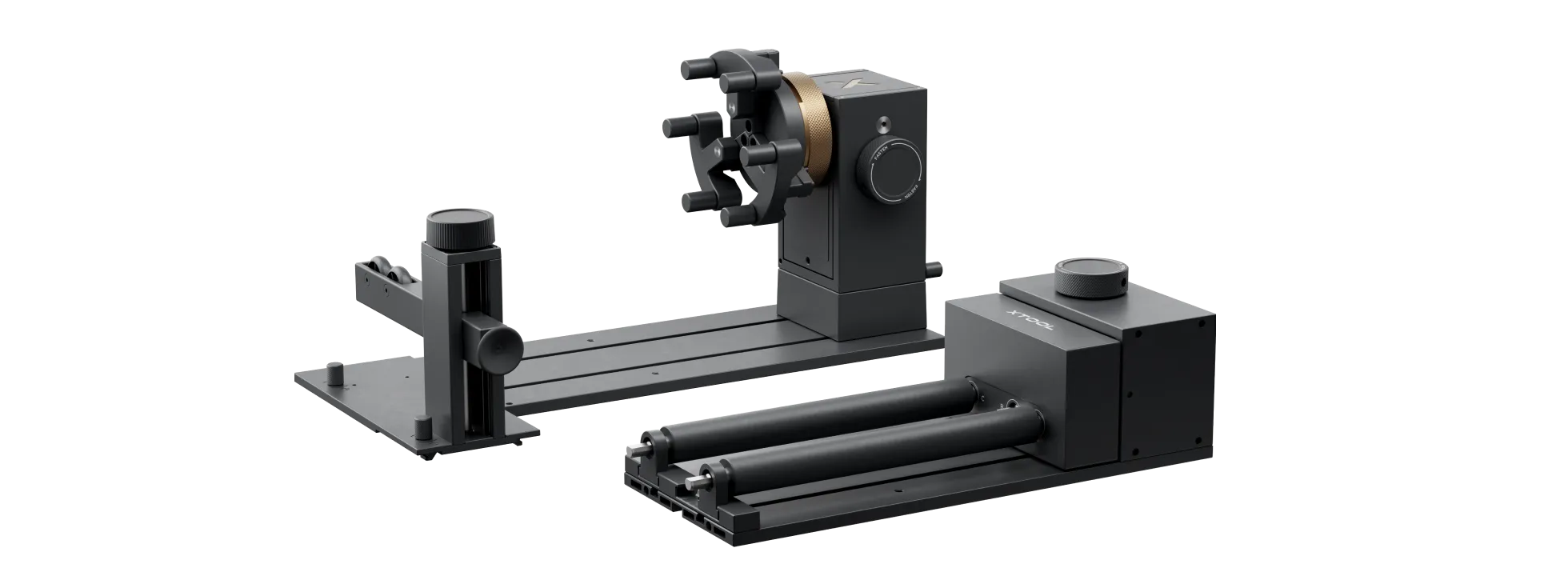
Make Any Round Surface Your Canvas
Your canvas now includes cylinders, spheres, and rings. Plus, unlock exclusive techniques, like full-wrap engraving on revolving vases, and accelerated batch production.
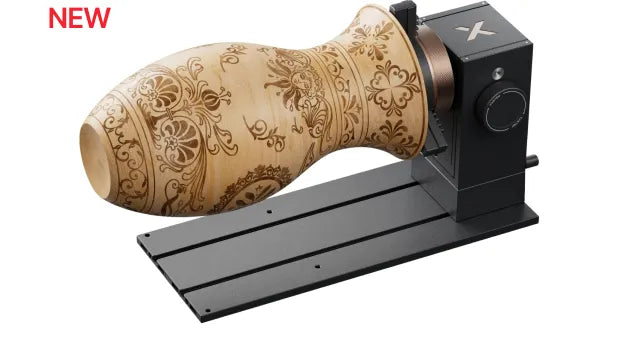
Full-Wrap on Revolving Vases — Ring Rotary
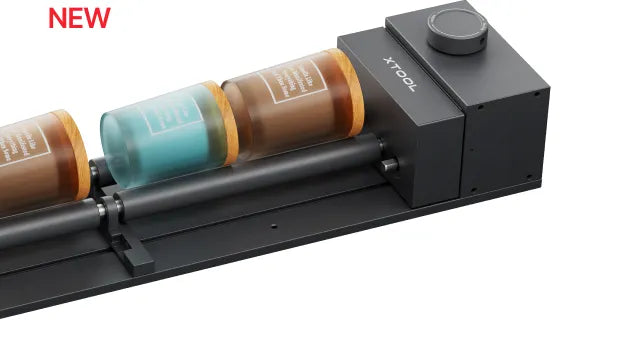
For Regular Cylinders & Batch Processing — Roller Rotary
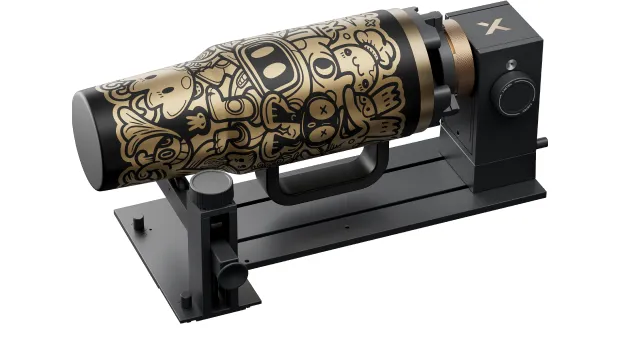
For Complex & Irregular Shapes — Chuck Rotary
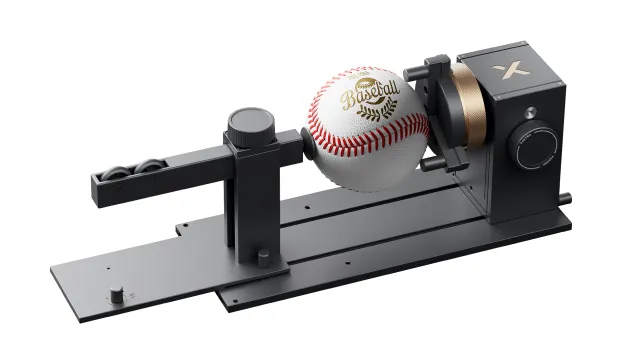
For Spheres — Sphere Rotary
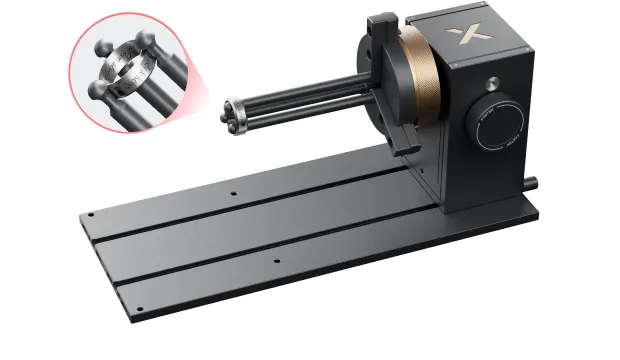
For Rings — Ring Rotary

Automated Processing, Perfect First Try — 360° LiDAR Mapping™
Easy Alignment with 3D Modeling Preview
See your final results before engraving. The 360° LiDAR Mapping™ automatically models your object, providing a perfect 3D preview to visually confirm every detail and alignment, eliminating all guesswork.
Unlock Full-Wrap Engraving on Revolving Vases
Flawless, full-wrap engraving on a revolving vase was previously impossible due to its complex, unmeasurable curves. Now, 360° LiDAR Mapping™ allows you to master these impossible shapes.
Auto-Recognize Rotary Mode, No Costly Fails
The camera recognizes your physical setup (e.g., chuck or roller) automatically and syncs the software, adding mismatch alerts to prevent costly engraving fails. Never again ruin a project by selecting the wrong mode.
MagSwap™ Design, Switch In Seconds
Assemble your rotary, adjust the jaws, and swap attachments, each in seconds. Our revolutionary tool-free MagSwap™ design lets you switch between projects and dramatically speed up your workflow.
Seconds to Assemble
From parts to a ready-to-use chuck in a snap. No tools, no screws.
Seconds to Adjust
Instantly reconfigure the jaws and adjust the clamping diameter to match any object.
Seconds to Swap
From chuck to roller in a flash. The magnetic design makes switching functions effortless.
Engrave Bigger, Faster, and in Batches
Secure Larger Items, No Slips
The new T-type jaw design, with added contact points and an increased grip diameter, provides a non-slip grip on rims up to 130mm to securely hold large items, ensuring your high-value engravings are flawless.
One-Step Positioning for Inner Rings
Instantly set the perfect 26° angle in one step. This allows you to start engraving challenging inner rings and tapered objects immediately, without any tedious tuning.
Fulfill Large Personalized Orders Faster
In custom orders, speed is profit. Reach a max speed of 1200mm/s while batch processing multiple items with varied designs. This allows you to fulfill large personalized orders faster and maximize revenue.
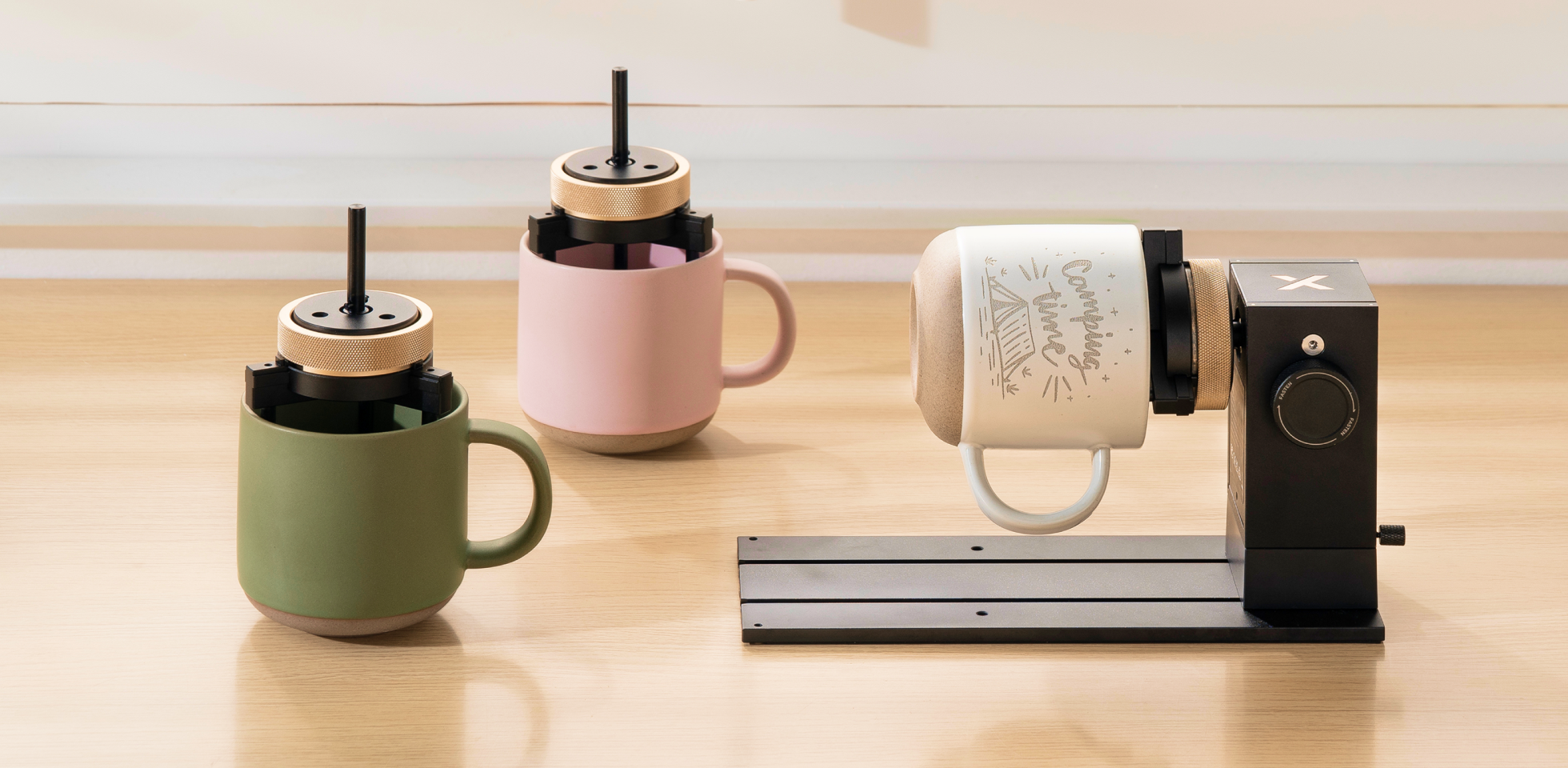
Roller Batch — Perfect for mass customization. Use up to 3 sets of rollers to batch process multiple designs in a single, efficient run.
Chuck Batch — Efficiently handle batch orders of mugs, long objects, or rings by securely preparing the next item while the first one engraves.
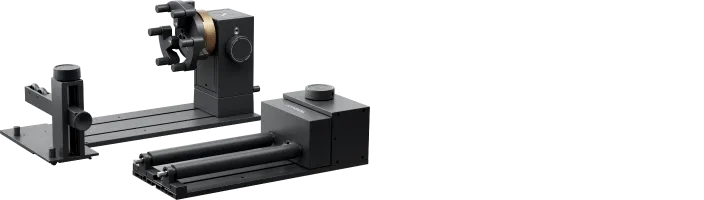
Specifications — xTool RA3 vs. xTool RA2 Pro
| xTool RA3 | xTool RA2 Pro | |
|---|---|---|
| 360° LiDAR Mapping™ for 3D Modeling Preview | √ (P Series Only) | x |
| Rotary Mode Auto Recognition | √ (P Series Only) | x |
| MagSwap™ Design | √ | x |
| Chuck Rotary | √ | √ |
| Roller Rotary | √ | √ |
| Sphere Rotary | √ | √ |
| Ring Rotary | √ | √ |
| Inner Ring Engraving | √ | √ (Extra Purchase) |
| Batch Processing | √ (Extra Purchase) | x |
| Full-Wrap Engraving on Vase | √ | x |
| Engrave Diameter Range (Chuck) | 0 - 130 mm | 0 - 100 mm |
| Engrave Diameter Range (Roller) | 3 - 198 mm | 3 - 198 mm |
| Engrave Diameter Range (Sphere) | 25 - 100 mm | 25 - 100 mm |
| Engrave Diameter Range (Ring) | 11 - 70 mm | 11 - 70 mm |
| Product Size | 324 * 187 * 148 mm | 321 * 138 * 105 mm |
| Product Weight | 2.26 kg | 1.96 kg |
| Compatibility | P Series, F2, F1 Ultra, F2 Ultra (both versions), F2 Ultra UV | All xTool Laser Machines |
Note
Compatible with P Series/M Series/F Series (except F1 and F1 Lite). RA3 users who need to use RA3 with xTool M2 may contact xTool Support to purchase the M2 adapter kit.
FAQ
Which xTool machines does the RA3 support?
RA3 currently supports the P Series and M Series, including P3, P2S, P2, M1 Ultra and M1. As well as most models in the F Series, such as F2, F1 Ultra, F2 Ultra, and F2 Ultra UV. Other machines—including the M1 Ultra, S Series, and F1—are compatible with RA2 Pro.
What upgrades does the RA3 have compared with the RA2 Pro?
1. Easier operation — RA3 features a first-ever MagSwap™ Design. All attachments use magnetic mounting, allowing users to switch processing modes and swap attachments quickly and without tools, greatly simplifying the entire setup process.
2. Smarter automation — When paired with a P Series machine, RA3 can automatically measure the object’s diameter, generate a 3D modeling preview, and display a pre-processing visual preview of the engraving job. This helps users better predict the outcome and reduce failed attempts.
3. Batch production — With the RA3 Chuck Kit and Roller Extension Kit, users can achieve efficient batch production, significantly improving overall productivity.
Can I use RA3’s 3D Modeling and Auto-Recognize Rotary Mode on the F Series?
These smart rotary features are not supported on F Series due to hardware differences. As a galvo laser system, the F Series uses a vision camera rather than the distance-measuring sensors found in the P Series, so it cannot provide the modeling accuracy required for these automated functions. However, you can still enjoy RA3’s major upgrades on the F Series. The MagSwap™ Design enables tool-free assembly and quick switching of attachments and modes, greatly reducing setup complexity. The new T-type jaw design also increases the maximum workable diameter from 100 mm to 130 mm.
What’s the difference between RA3 Lite and RA3?
RA3 Lite is made exclusively for xTool M2, while RA3 works with other supported xTool machines. Both support chuck rotary, sphere rotary, ring rotary, and full-wrap engraving on vases. However, RA3 Lite has some M2-specific limitations: inner ring engraving may be limited due to M2’s horizontal laser output, and the Roller Extension Kit for batch processing is not supported. RA3 Lite supports 0–100 mm object diameters, while RA3 supports 0–130 mm. Apart from the differences above, RA3 Lite and RA3 are the same in size and weight.
I already own RA3. Can I use it with xTool M2?
Yes. To use RA3 with xTool M2, you will need the M2 Adapter Kit. The kit is available for purchase and you can find out more information here.
